careercreators.in

0
0 reviews

Video Editing Essentials

Learn video editing using Filmora and KineMaster. Create engaging YouTube videos, Instagram Reels, Shorts and promotional content. Master cutting, trimming, ... Show more
  • Description
  • Curriculum
  • Reviews

The Video Editing Essentials course is designed to introduce students to video editing and help them develop the skills required to create engaging digital video content.

Video is one of the most powerful forms of communication used in education, entertainment, advertising, business promotion and social media.

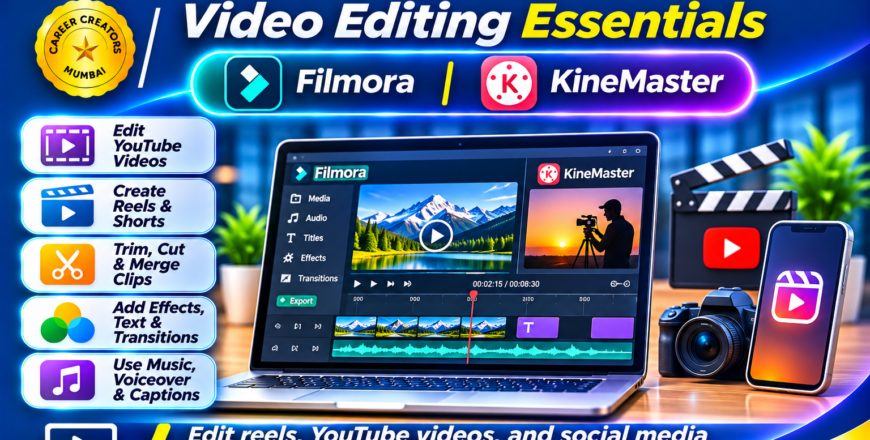
This course introduces students to video editing applications such as Filmora and KineMaster. Students will learn how to import video clips, arrange footage, trim unwanted sections, add transitions, insert text, work with audio and export completed videos.

Course Modules

1. Introduction to Video Editing

  • Understanding video editing.

  • Introduction to video formats.

  • Understanding resolution and aspect ratios.

  • Frame rates and video quality.

  • Understanding the editing timeline.

  • Introduction to video editing workflow.

2. Filmora – Video Editing Fundamentals

  • Understanding the Filmora interface.

  • Importing video and audio files.

  • Arranging clips on the timeline.

  • Cutting and trimming footage.

  • Adding transitions.

  • Working with titles and text.

  • Adding background music.

3. KineMaster – Mobile Video Editing

  • Understanding the KineMaster interface.

  • Importing videos and images.

  • Arranging multiple video layers.

  • Adding text and graphics.

  • Applying transitions and effects.

  • Audio and music editing.

  • Exporting completed videos.

4. Social Media Video Editing

  • Editing Instagram Reels.

  • Creating YouTube Shorts.

  • Editing promotional videos.

  • Creating educational videos.

  • Working with vertical and horizontal formats.

  • Preparing videos for social media platforms.

5. Basic Video Enhancement

  • Adding background music.

  • Adjusting audio levels.

  • Adding titles and captions.

  • Applying basic visual effects.

  • Improving video presentation.

  • Exporting videos in suitable formats.

6. Practical Video Editing Projects

  • Short Promotional Video.

  • Educational Video.

  • Instagram Reel.

  • YouTube Short.

  • Business Advertisement.

  • Social Media Video.

Learning Outcomes

By the end of this course, students will be able to edit basic videos using Filmora and KineMaster.

They will understand video editing timelines, transitions, text, audio and basic visual effects, enabling them to create content for YouTube, Instagram and other digital platforms.


Video Editing Essentials_ Filmora & KineMaster.png
Course details
Level Advanced
Basic info

Course Category: Video Editing & Digital Content Creation

Software Covered:

  • Filmora

  • KineMaster

Skills You Will Develop:

  • Basic video editing

  • Timeline management

  • Cutting and trimming

  • Transitions and effects

  • Text and title insertion

  • Audio and music editing

  • Social media video creation

  • Video exporting

Practical Projects:

  • YouTube Video

  • Instagram Reel

  • YouTube Short

  • Promotional Video

  • Educational Video

  • Business Advertisement

Suitable For: Beginners, students, YouTubers, content creators, social media managers, freelancers and individuals interested in video production.

Prerequisites: Basic computer knowledge. No previous video editing experience is required.